Go核心(调试Go源代码)
编译安装Go
获取源代码
在编译安装之前我们需要获取到相关的代码,golang作为一个开源项目,我们能在各个开源平台上获取到源代码。这里从Github获取到最新的主干代码,截止行文前最新的代码版本为测试版本的1.20。
git clone https://github.com/golang/go.git goroot
安装Go
当前版本Go已经完成了自举(自举即用Go来完成了Go的编译器的编写),所以在编译安装高版本的的Go时,请确保已经安装了编译器所需版本的GO。如当前我需要编译的版本为1.20,所需的编译器最低为1.17.3版本的Go。所以编译安装1.20版本的前提是本机已经安装好1.17.3版本的Go,具体如何安装这里不再赘述。执行前设置好GOROOT_BOOTSTRAP环境变量,即为低版本Go的安装路径。
修改环境变量
# vim /etc/profile
export GOROOT_BOOTSTRAP=/usr/local/go1.17.3 # 你的低版本GO的安装路径

# 重新加载环境变量
source /etc/profile
执行安装命令
cd src/
# linux
./make.bash
# windows
./make.bat
安装完成
windows下执行
$ ./make.bat
Building Go cmd/dist using E:\go\src\github\869413421\go1.18. (go1.18 windows/amd64)
Building Go toolchain1 using E:\go\src\github\869413421\go1.18.
Building Go bootstrap cmd/go (go_bootstrap) using Go toolchain1.
Building Go toolchain2 using go_bootstrap and Go toolchain1.
Building Go toolchain3 using go_bootstrap and Go toolchain2.
Building packages and commands for windows/amd64.
---
Installed Go for windows/amd64 in E:\go\src\github\869413421\goroot
Installed commands in E:\go\src\github\869413421\goroot\bin
这时候在bin目录下已经生成了当前代码的Go可执行文件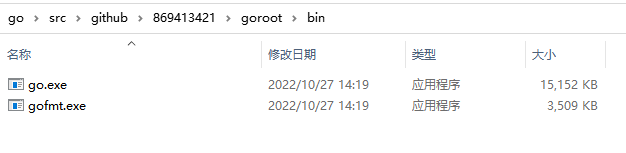
修改源代码
修改源码中的fmt.Println方法
// Println formats using the default formats for its operands and writes to standard output.
// Spaces are always added between operands and a newline is appended.
// It returns the number of bytes written and any write error encountered.
func Println(a ...any) (n int, err error) {
    Fprintln(os.Stdout, "this is my test !") //每次执行增加这一句输出
    return Fprintln(os.Stdout, a...)
}
在src目录下再次编译
测试修改
编写测试代码
package main

import "fmt"

func main()  {
	fmt.Println("hello world!")
}
使用bin目录下的可执行文件来运行代码
$ ./bin/go run  hello.go
this is my test !
hello world!
可以看到`fmt.Println`执行结果是符合我们的修改的。